

I3C
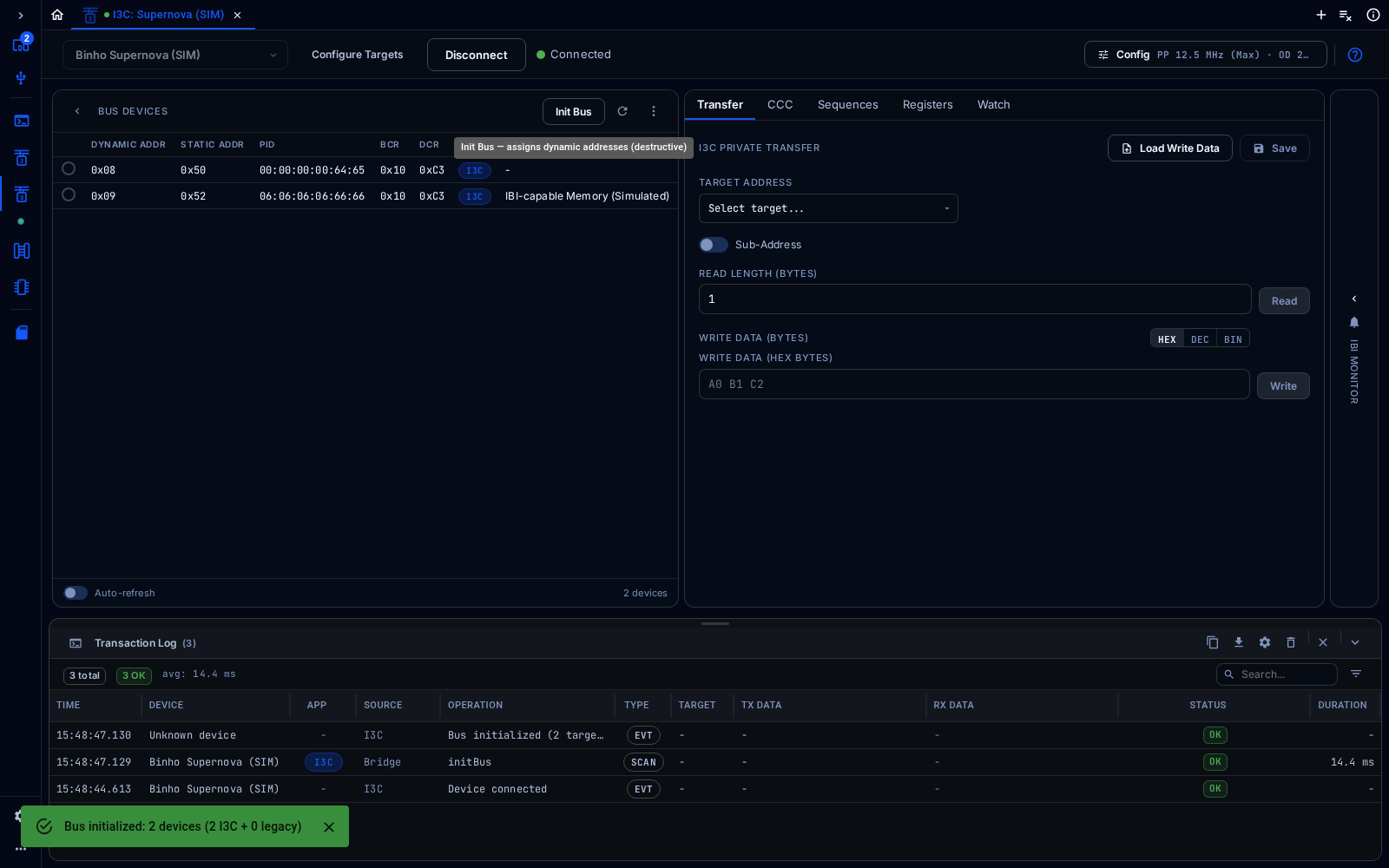
I3C tool after initializing a simulated bus with two targets
The I3C tool initializes an I3C bus, assigns dynamic addresses, and runs private transfers and Common Command Codes (CCCs). I3C is available on the Binho Supernova.
Connect
Section titled “Connect”Choose the adapter from the device selector at the top left, then click Connect. In the web app, click Pair Device first to give the browser access to a real adapter, or pick a simulated device such as Binho Supernova (SIM) to try the tool without hardware. Config at the top right opens the settings for the bus.
Every tool shows the Transaction Log at the bottom: each command sent to the adapter, its data, its result and how long it took. It can be searched, filtered, copied and exported.
Configure
Section titled “Configure”In Config, set the push-pull and open-drain clock rates and the bus voltage. Configure Targets defines target devices ahead of time, for the simulator or to pre-initialize the bus.
Initialize the Bus
Section titled “Initialize the Bus”Click Init Bus. The adapter runs dynamic address assignment, and Bus Devices lists every target with its dynamic address, static address, PID, BCR and DCR. Init Bus assigns new dynamic addresses, so run it again only to start over.
Transfers and CCCs
Section titled “Transfers and CCCs”- Transfer: private write and read. Choose the target, optionally a sub-address, then enter the read length or the bytes to write.
- CCC: send Common Command Codes to one target or to all of them.
- Sequences, Registers and Watch: multi-step sequences, a target’s registers, and watched values.
- IBI Monitor, on the right edge, lists In-Band Interrupts from the targets.