

I3C
I3C (Improved Inter-Integrated Circuit) is the successor to I2C and is backward compatible with it. It adds Dynamic Address Assignment, higher data rates, CCC commands, multi-controller support, Hot-Join and removal events and In-Band Interrupts (IBIs). The Binho Supernova supports I3C.
The I3C command panel is organized in five segments: Available Devices, Clock Settings, Bus Voltage, Private Transactions, and Common Command Code transfers.
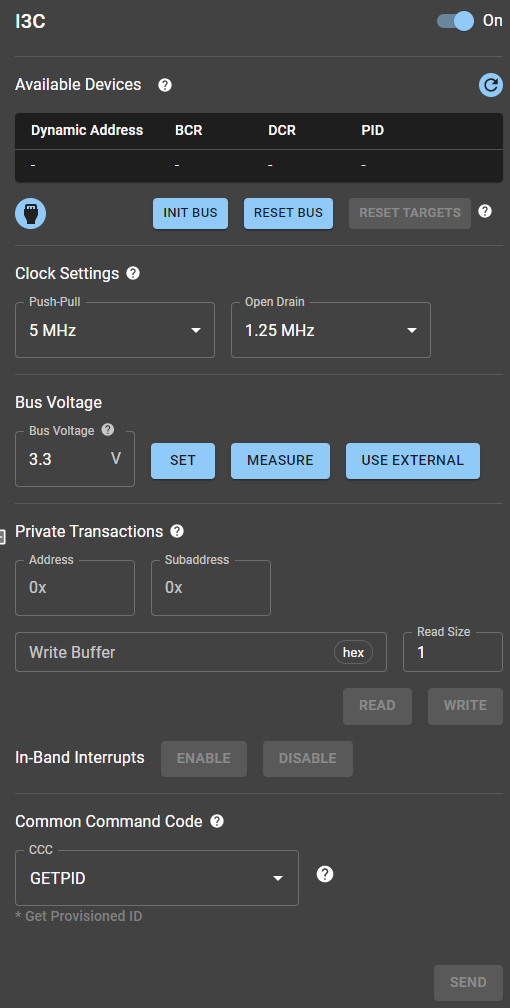
I3C command panel.
Available Devices
Section titled “Available Devices”When the INIT BUS button is pressed, the Binho Supernova initializes the bus, sets the bus voltage and assigns dynamic addresses to the target devices. In this process, the targets send their BCR, DCR and PID to the Controller, so it can identify them and assign them the dynamic addresses. After this is concluded, all target devices are listed up in the Available Devices table:
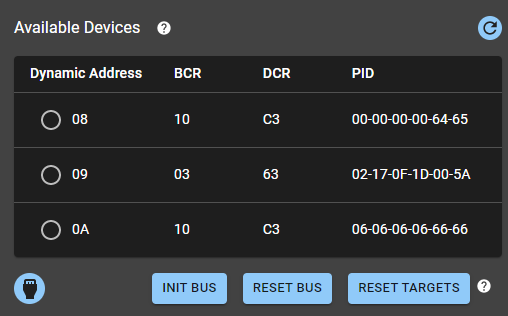
Available Devices segment
The Available Devices panel also offers other functions that allow, for example, resetting the bus, resetting targets (via the Target Reset Pattern specified in the I3C protocol), obtaining the I3C connector status and also refreshing the targets table (managed by the SDK).
Clock Settings
Section titled “Clock Settings”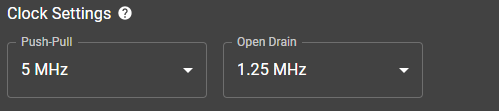
Clock Settings sub-panel.
The Clock Settings segment sets two clock frequencies:
| Parameter | Admitted values | Comment |
|---|---|---|
| Push-Pull | 3.75 to 12.5 MHz | 6 possible values |
| Open Drain | 0.1 to 4.17 MHz | 7 possible values |
Notes:
- Push-Pull Clock: Used for reads and writes.
- Open Drain Clock: Used during Dynamic Address Assignment, so that targets answering at the same time do not short-circuit the bus.
Bus Voltage
Section titled “Bus Voltage”The Bus Voltage section sets the bus voltage from 0.8 to 3.3 V: enter a value and press SET. It can also measure the bus voltage and use an external supply, which measures the voltage and sets the bus to match it.
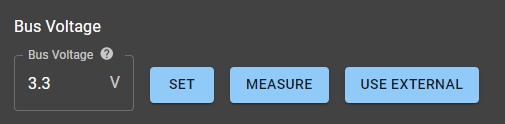
Bus Voltage sub-panel
Private Transactions
Section titled “Private Transactions”The Private Transactions segment runs read and write transfers.
- Address and Subaddress: Entered in hexadecimal at the top.
- Write Buffer and Read Size: The next row takes the payload (hexadecimal) and the number of bytes to read.
- Read and Write Buttons: The last row runs the operations.
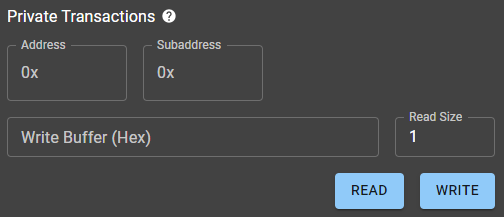
Private Transactions sub-panel.
Common Command Code (CCC) Operations
Section titled “Common Command Code (CCC) Operations”The CCC sub-panel sends I3C Common Command Codes. It has a dropdown menu, a textbox and a TRANSFER button.
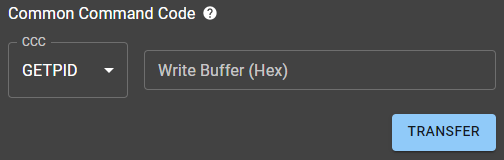
Common Command Code sub-panel
Mission Control 2 supports these CCCs.
| CCC command | Description |
|---|---|
| GETBCR | Get the Bus Characteristics Register |
| GETDCR | Get the Device Characteristics Register |
| GETPID | Get Provisioned ID |
| GETMRL | Get Max Read Length |
| GETMWL | Get Max Write Length |
| DIRECT SETMRL | Set Max Read Length |
| DIRECT SETMWL | Set Max Write Length |
Notes:
- The Write Buffer is relevant only for CCC commands that send data, such as DIRECT SETMRL and DIRECT SETMWL.
- The latest version of Mission Control 2 may support more.