

I2C
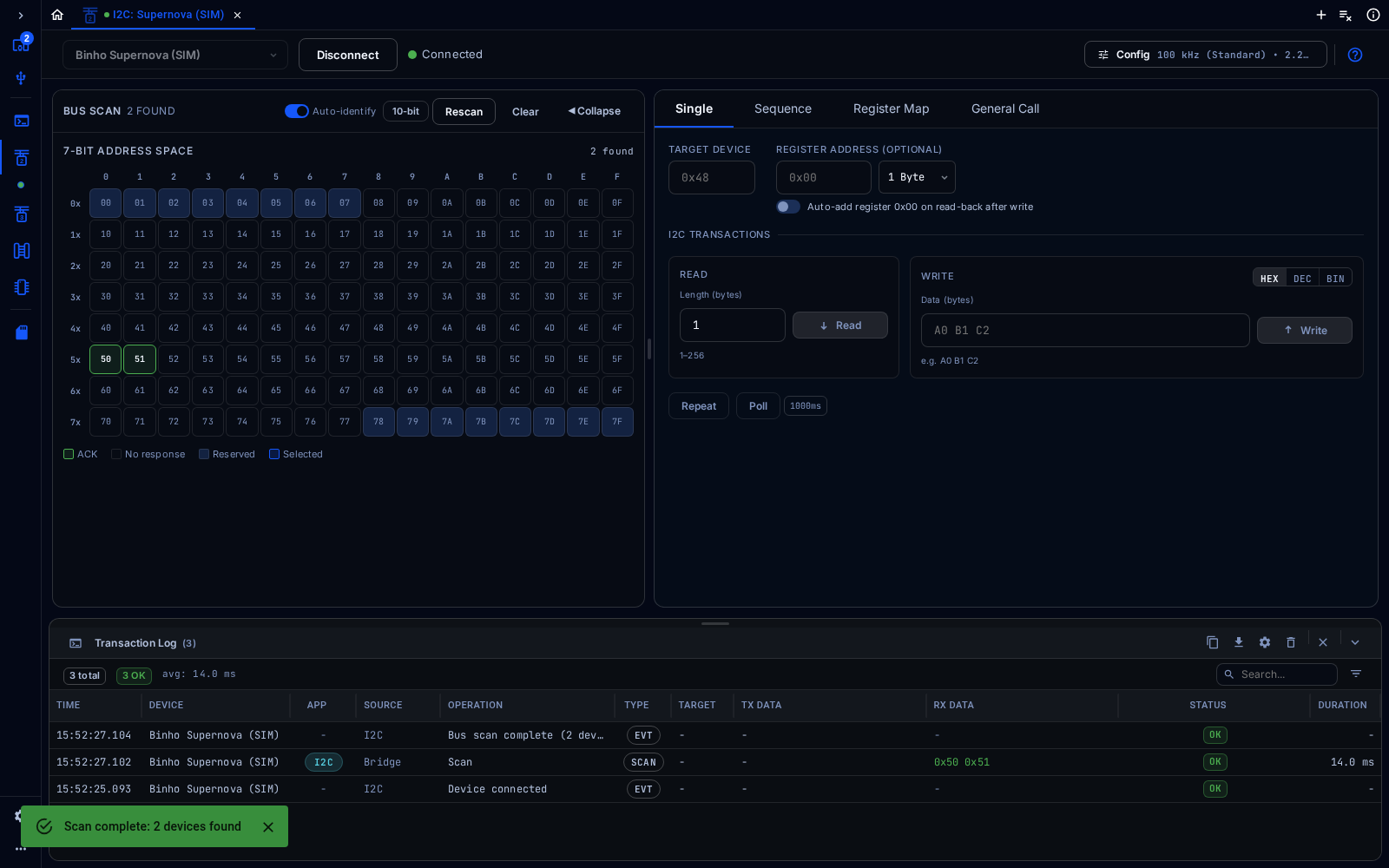
I2C tool after scanning a simulated Supernova's bus
The I2C tool scans an I2C bus and reads from and writes to I2C devices, with the adapter as the controller.
Connect
Section titled “Connect”Choose the adapter from the device selector at the top left, then click Connect. In the web app, click Pair Device first to give the browser access to a real adapter, or pick a simulated device such as Binho Supernova (SIM) to try the tool without hardware. Config at the top right opens the settings for the bus.
Every tool shows the Transaction Log at the bottom: each command sent to the adapter, its data, its result and how long it took. It can be searched, filtered, copied and exported.
Configure
Section titled “Configure”In Config, set the clock (100 kHz, 400 kHz or 1 MHz) and the pull-up resistors, then click Apply.
Scan the Bus
Section titled “Scan the Bus”Click Scan Bus (later Rescan). The address map shows every 7-bit address: devices that answered are highlighted, and reserved addresses are marked. Turn on 10-bit to include 10-bit addresses. Click an address to use it as the target.
Read and Write
Section titled “Read and Write”The Single tab runs one transaction at a time:
- Target Device: the device address.
- Register Address (optional): the register to start from, 1 to 4 bytes wide.
- Read: the number of bytes to read, 1 to 256.
- Write: the bytes to write, in HEX, DEC or BIN.
- Repeat reruns the last transaction; Poll reruns it at the interval shown.
The Sequence, Register Map and General Call tabs cover multi-step sequences, a device’s register map, and I2C general call.