

Binho Pulsar
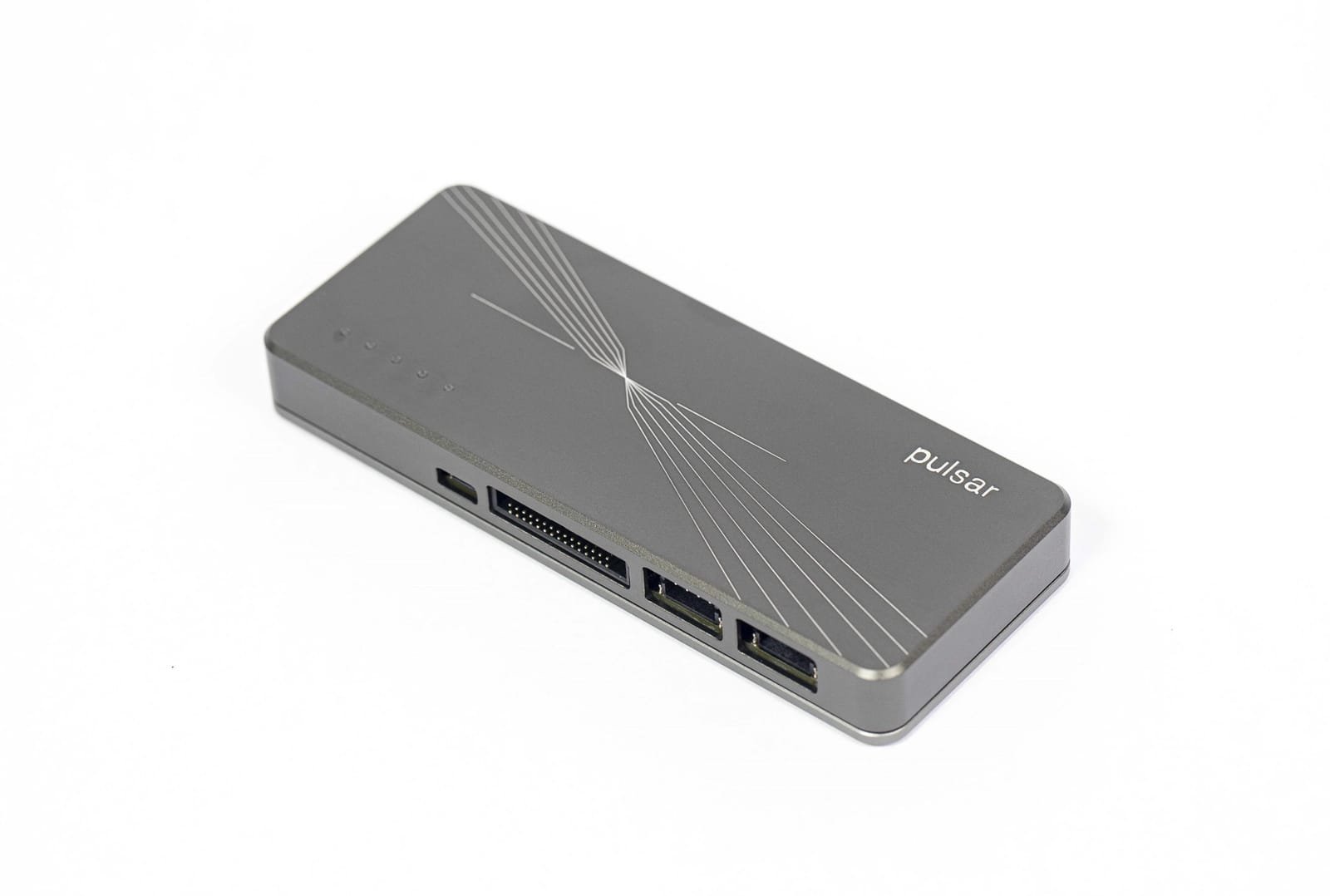
Binho Pulsar host adapter.
In this guide: Setup · Hardware reference · Protocols · Firmware · FAQ · Troubleshooting
Summary
Section titled “Summary”The Binho Pulsar USB host adapter connects a PC to the circuit under test over a USB 2.0 High Speed (480 Mbps) link. It drives, or emulates, devices on these buses:
| Interface | Roles | Where to use it |
|---|---|---|
| I2C, 2 buses | Controller, target | Mission Control 3, PyCosmicSDK, CosmicSDK |
| SPI | Controller, peripheral | Mission Control 3, PyCosmicSDK, CosmicSDK |
| UART | n/a | Mission Control 3, PyCosmicSDK, CosmicSDK, any serial terminal |
| GPIO, 6 pins | Input, output, interrupt | Mission Control 3, PyCosmicSDK, CosmicSDK |
| RS-485 | n/a | Any serial terminal (virtual COM port), half-duplex |
| CAN-FD and CAN | n/a | SLCAN tools such as python-can (virtual COM port) |
Each protocol has its own pins, so several can run at once.
The Pulsar has no I3C. For I3C, use the Binho Supernova.
The full datasheet (revision 1.3) is in the document library at my.binho.io, after signing in. Product page and ordering: binho.io. How it fits each stage from proof of concept to factory test: Why Pulsar.
Common Applications
Section titled “Common Applications”- Device driver and firmware development.
- EEPROM and SPI flash programming: transfers of up to 16 KB in one call.
- I2C, SMBus and PMBus verification.
- Automated hardware and firmware tests, with several Pulsars on one PC.
- Emulating an I2C or SPI device before the real part is available (target mode).
Software
Section titled “Software”| Software | What it does |
|---|---|
| Mission Control 3 | Point-and-click apps: I2C, SPI, GPIO, Serial Terminal, and Memory Programmer for I2C EEPROMs. Desktop app for Windows, macOS and Linux, or in a Chromium browser at mc3.binho.io |
| PyCosmicSDK | Python SDK: pip install pycosmicsdk. Python 3.10 to 3.14 on Windows x64, macOS (Apple Silicon) and Linux x86_64 |
| CosmicSDK | C, C++, C# and Java SDK, the library under PyCosmicSDK |
| dfu.binho.io | Firmware update in the browser. See Updating Firmware |
PyCosmicSDK guides: I2C · SPI · UART · GPIO · Target mode · Bulk transfers · Device lifecycle
Mission Control 2.16.1 and earlier do not work with Supernova or Pulsar firmware 4.x. Use Mission Control 3.
In the Box
Section titled “In the Box”- 1 × Binho Pulsar USB Host Adapter
- Differential Port Kit: 1 × 4-pin JST PH cable with female headers, 1 × with male headers
- Dedicated I2C Port Kit: 1 × Qwiic to Qwiic cable, 1 × Qwiic cable with male headers, 1 × with female headers
- Multifunction Port Kit: 1 × 30-conductor ribbon cable and a ribbon-to-2.54 mm header breakout board
- USB Kit: 1 × USB Type-C to Type-A cable and 1 × USB Type-A to Type-C adapter
- Mounting Kit: 2 × M3 mounting screws and 2 × washers
- Protective zippered carry case
Accessories and Application Notes
Section titled “Accessories and Application Notes”Sold separately on binho.io:
| Accessory | Use it for |
|---|---|
| mikroBUS Adapter Board | Connects MikroE Click boards over I2C, SPI or UART. Also fits the Supernova. |
| I2C Mini-DIN Adapter Cable | I2C connection to onsemi Ezairo ASSP family products. |
All accessories: Accessories.
Application notes with code: programming an STM32 over I2C and over SPI through its ROM bootloader. More in Other examples.
Protocol background on binho.io: RS-485, CAN, 1-Wire.
ASCII Command Set (Nova Compatibility Mode)
Section titled “ASCII Command Set (Nova Compatibility Mode)”Pulsar can emulate the legacy Binho Nova ASCII protocol over its USB CDC virtual COM port, so existing Nova host software works against it unmodified: