

Binho Mission Control
Binho Mission Control is a multi-platform desktop app for seamless embedded system development and testing. It replaces the tedious coding, building, and testing loop with a simple GUI.
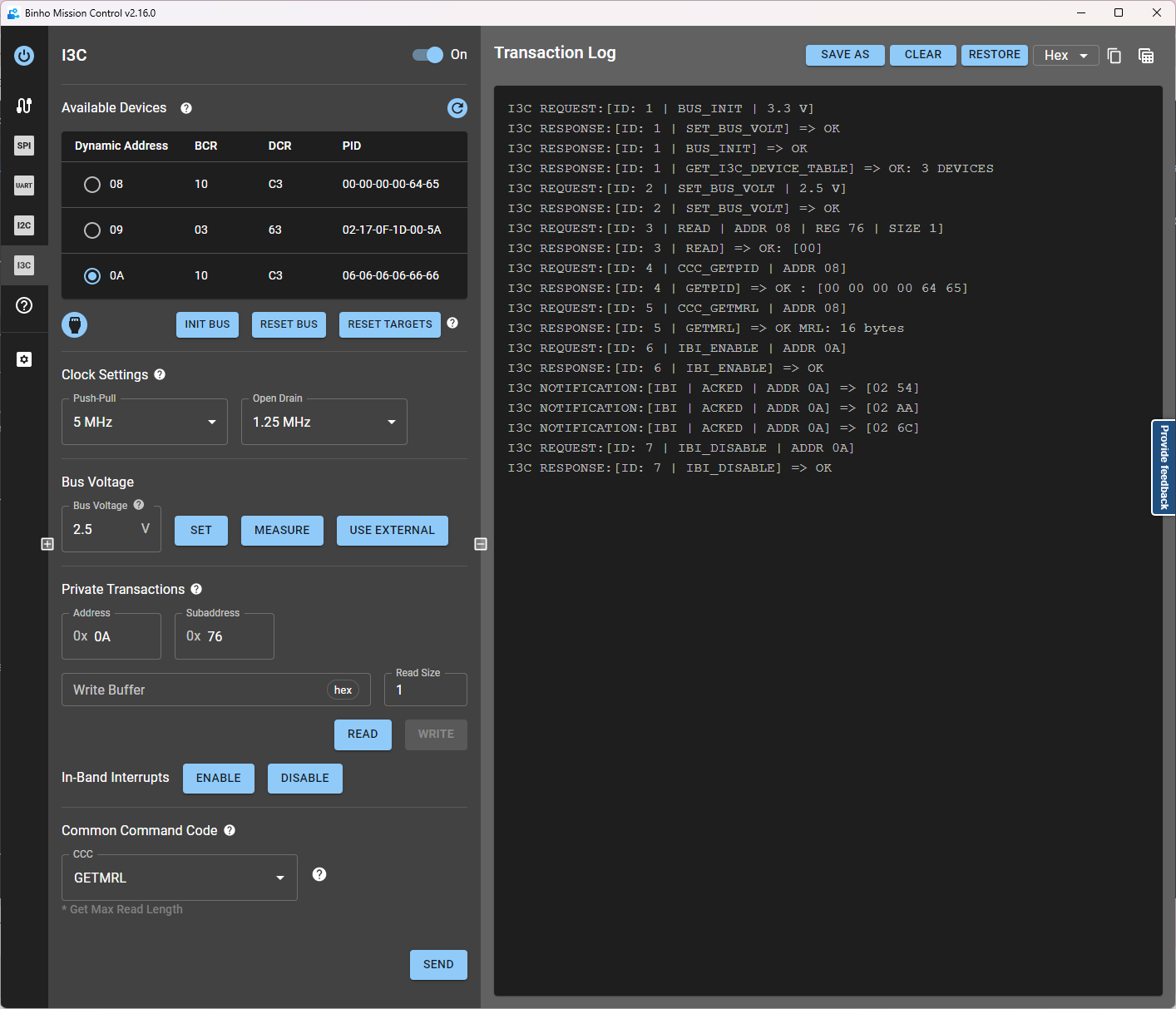
Screenshot of Binho Mission Control interacting with a downstream device using the I3C protocol
Summary
Section titled “Summary”Supported Devices
Section titled “Supported Devices”- Supports Binho Nova and Supernova Host Adapters.
- Plans for future host adapter compatibility.
- Test-drive the app with built-in Binho Nova and Binho Supernova simulators.
Features
Section titled “Features”- Supports protocols like I2C, I3C, SPI, GPIO, UART, and 1-WIRE.
- Enables easy protocol transactions, from basic to advanced.
- Intuitive device configuration, from bus voltage to address settings.
- Clear interface for all user levels.
- Consistent experience across Binho devices.
System Compatibility
Section titled “System Compatibility”- Works on Windows, Linux, and macOS.
Elevating Your Engineering Process
Section titled “Elevating Your Engineering Process”Many semiconductor manufacturers create their own engineering tools to aid customers in product development with their chips, as existing tools are usually poor. This leads to various evaluation tools specific to manufacturers, making the development process unnecessarily complex, inefficient and painful.
Binho Mission Control is designed for engineering prototypes, development, and testing equipment. Its main goal is to become a single, user-centered software tool that sets the standard, allowing engineers to streamline the development and testing phases by eliminating the long feedback loop that arises when coding, building, and testing devices through a microcontroller.
With this software, the user can easily perform the allowed transactions of each protocol, such as write, read, transfer, CCC commands, etc. Besides, the user can configure several parameters depending on the protocol activated. For example, the bus voltage, the clock frequency, the read payload size, the address, etc.
The upcoming sections provide a quick introduction to some of the varied functionalities offered by Binho Mission Control. These segments aim to offer a limited but rapid insight of the range of features available for each host adapter. The focus is on providing a primary contact into the app’s capabilities and possible usages.